Local-First Worship Software

Worship presentation
made simple.

G-Presenter is a worship presentation app built for simplicity. Manage songs, display Bible verses, set backgrounds, and sync to extra screens over your local network. No account required. Nothing stored in the cloud.

Download for Windows Explore features

No account required. No subscription.

Operator interface preview
Local-first, no internet required
Fast local performance
3 Bible translations built in, import more
No account or subscription
Windows desktop app
Features

Everything your worship team needs

Made for the person behind the computer during a live service. Because everything runs on your machine, there are no surprise logins, no internet outages, and no waiting for something to load on Sunday morning.

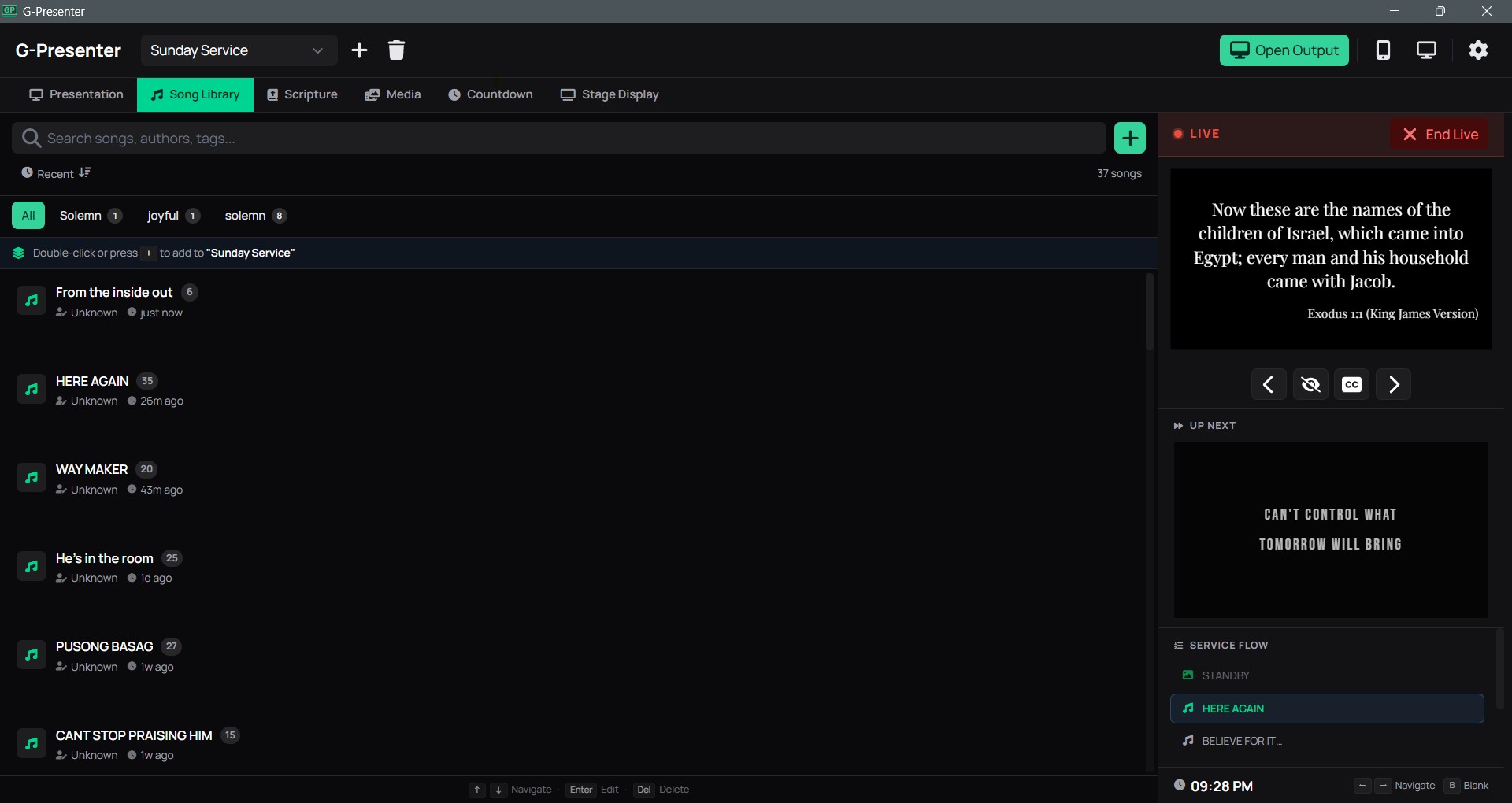
Song Library

Add, edit, and organize all your worship songs in one place. Tag them, label each section (verse, chorus, bridge), and find any song in seconds. Forgot the title? Search by lyrics and the library finds it instantly. Reorder slides for each service without changing the original.

Presentation Builder

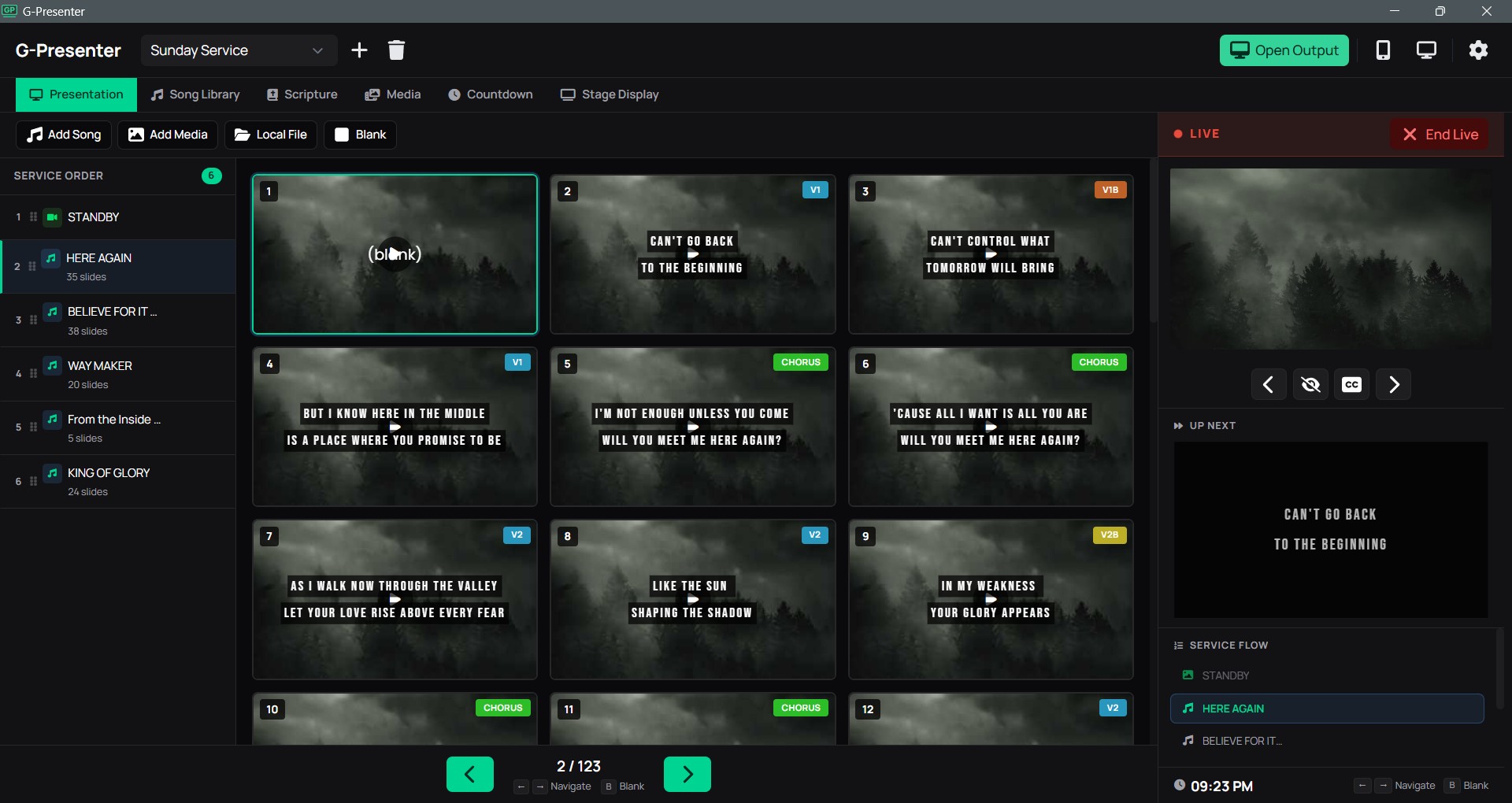
Build your entire service lineup with songs, custom slides, and blank screens in the order you need them. Clicking a song previews it first so you can review the lyrics before sending to the projector. Media slides go live immediately. Control everything from one screen during the service.

Scripture Browser

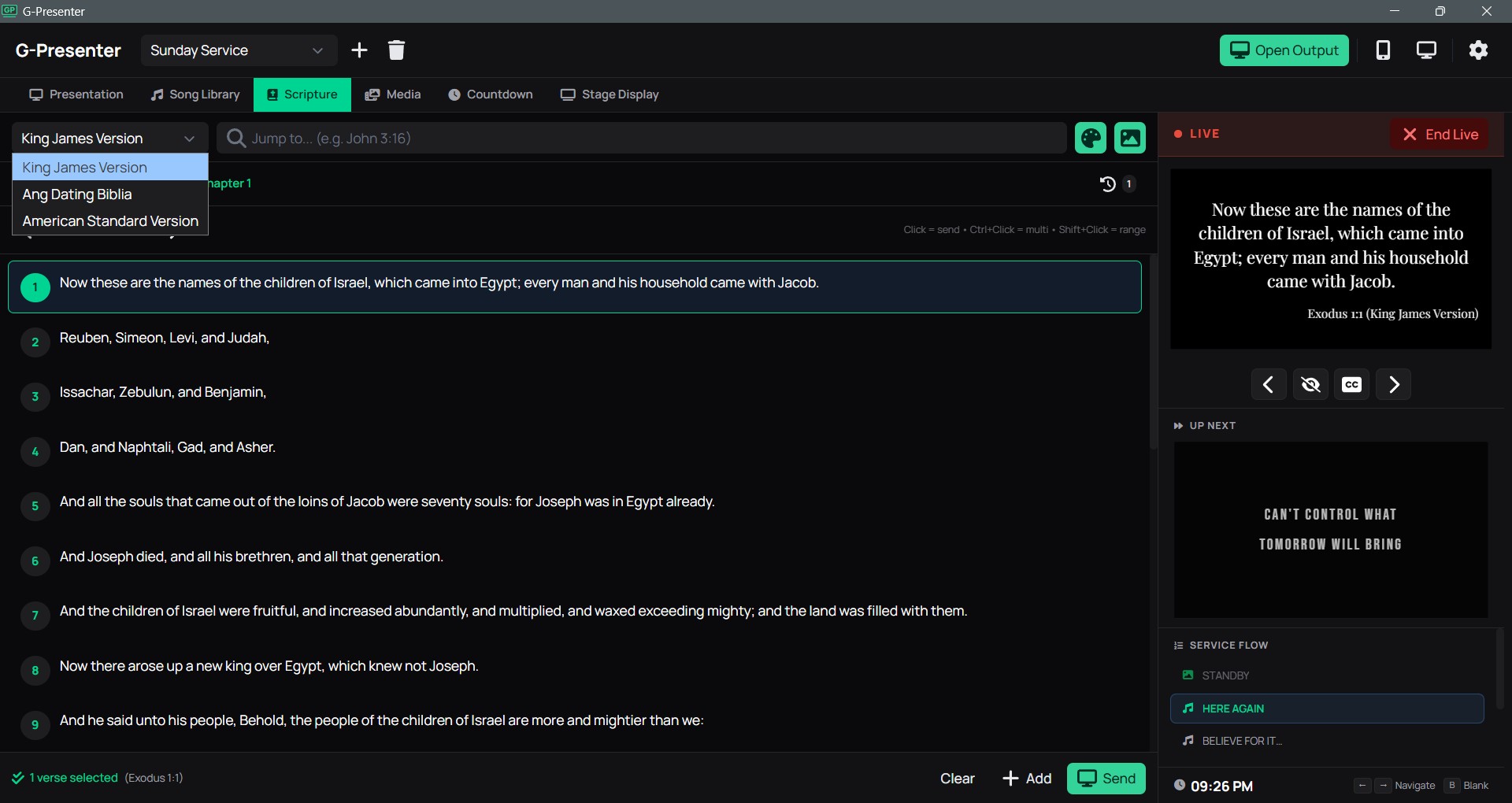
Comes with three Bible translations already installed: KJV, ASV, and Tagalog. Display any verse on screen in seconds, and switch between translations without losing your place. Forgot the reference? Search by verse content like "repent and be baptized" and the app finds the matching verses for you.

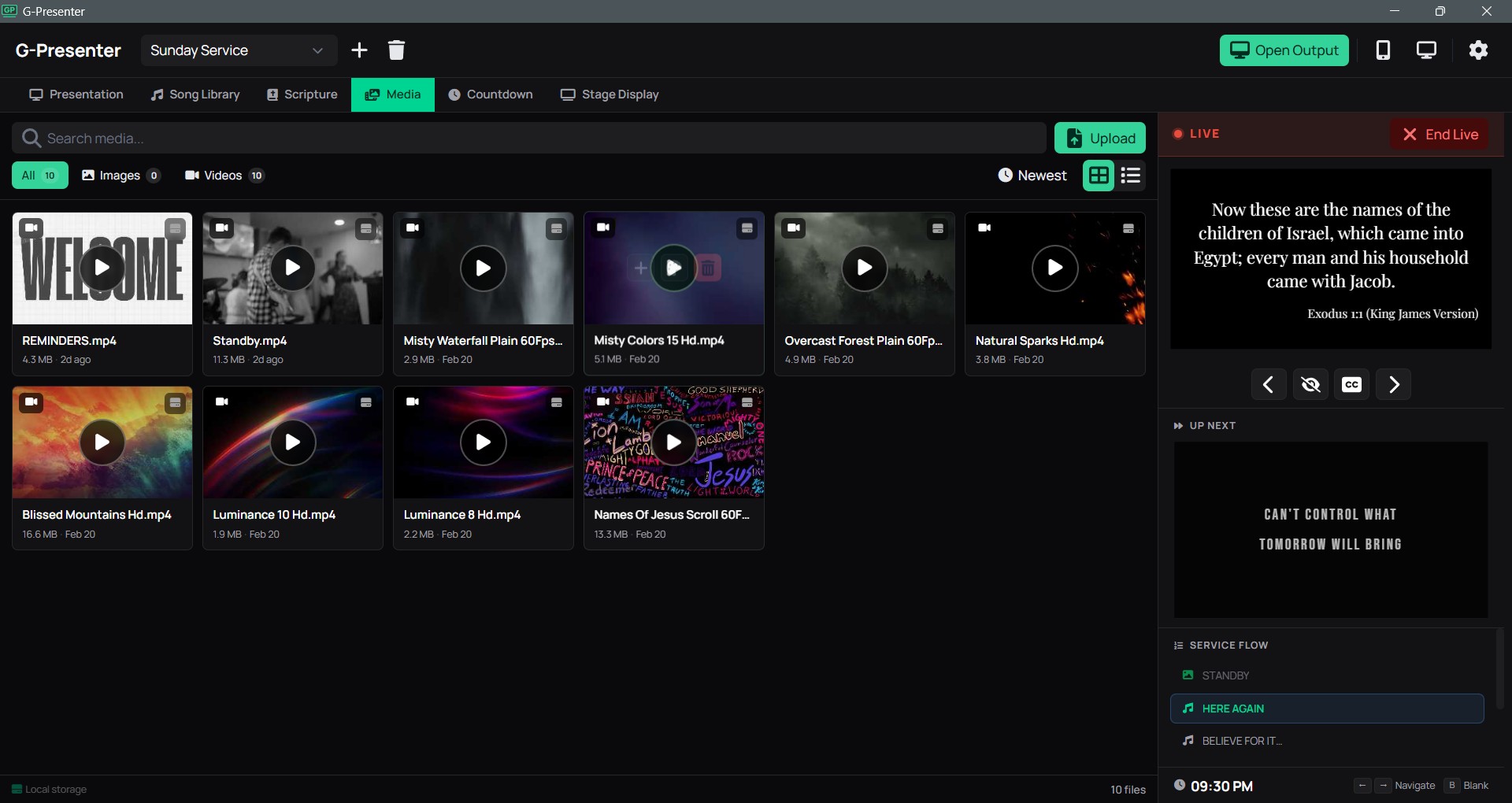
Media Library

Upload images and videos as slide backgrounds, or use local files directly from your computer. Square images are automatically displayed at their original size to prevent cropping. Switching between media is instant.

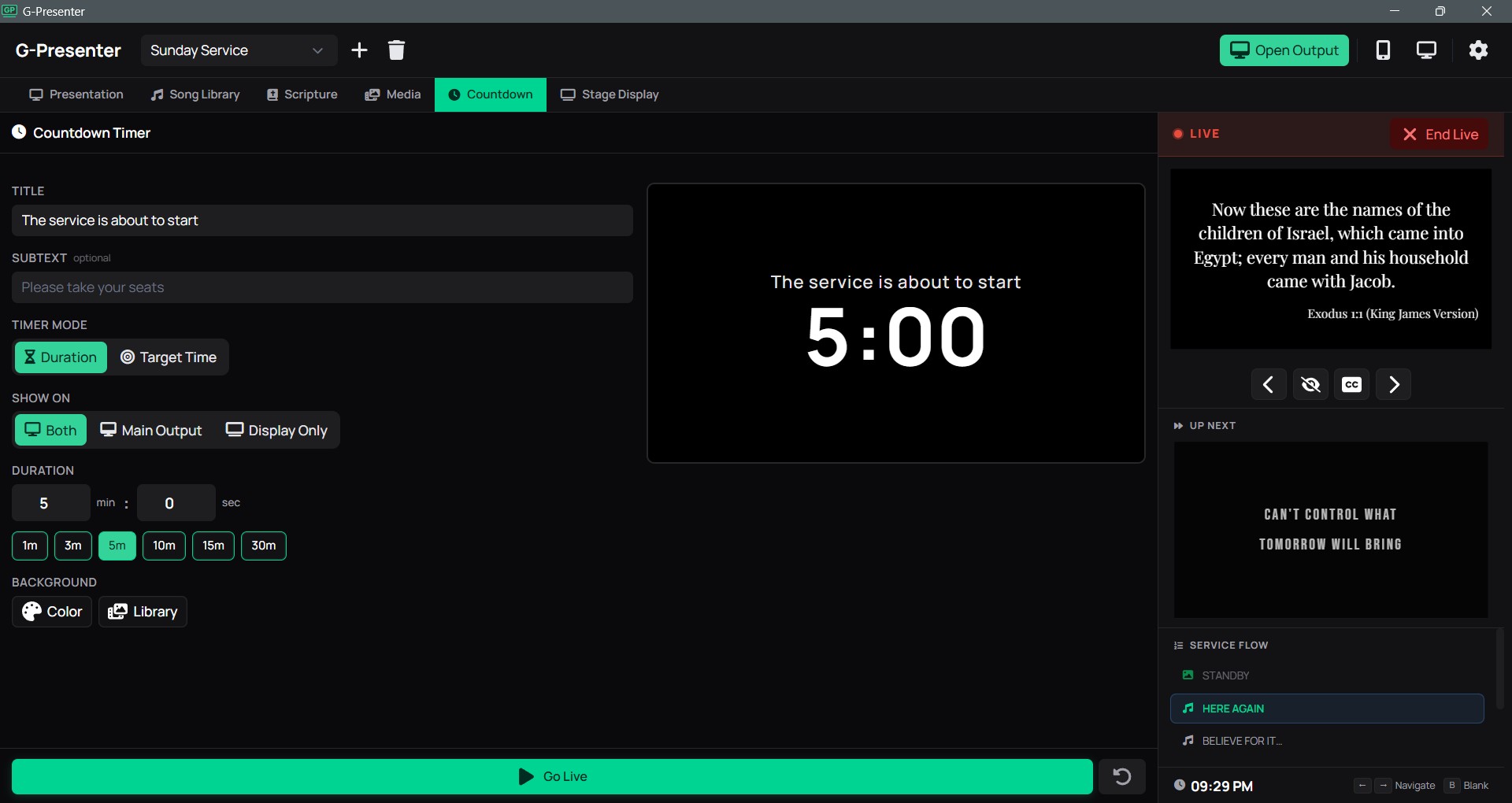
Countdown Timer

Show a countdown on the main projector, on extra displays, or everywhere at once. You pick the target. The timer also appears on the stage display so performers know exactly how much time is left.

Live Formatting

Adjust fonts, text size, bold, uppercase, letter spacing, line height, and per-line text backgrounds on the fly. Changes show up on the projector, remote preview, and all connected displays right away.

Rehearsal Mode

Practice and preview your slides before going live. Nothing shows on the projector or connected screens until you're ready. Great for last-minute run-throughs.

Import and Export

Back up individual modules (songs, presentations, media) or create a full backup of everything at once. Restore on another computer and the app catches duplicates so you never end up with double entries.

Live Service Essentials

Screen wake lock keeps the projector from sleeping during service. Lyrics toggle lets you hide or show text with a smooth fade without blanking the background. Both work automatically with no setup.

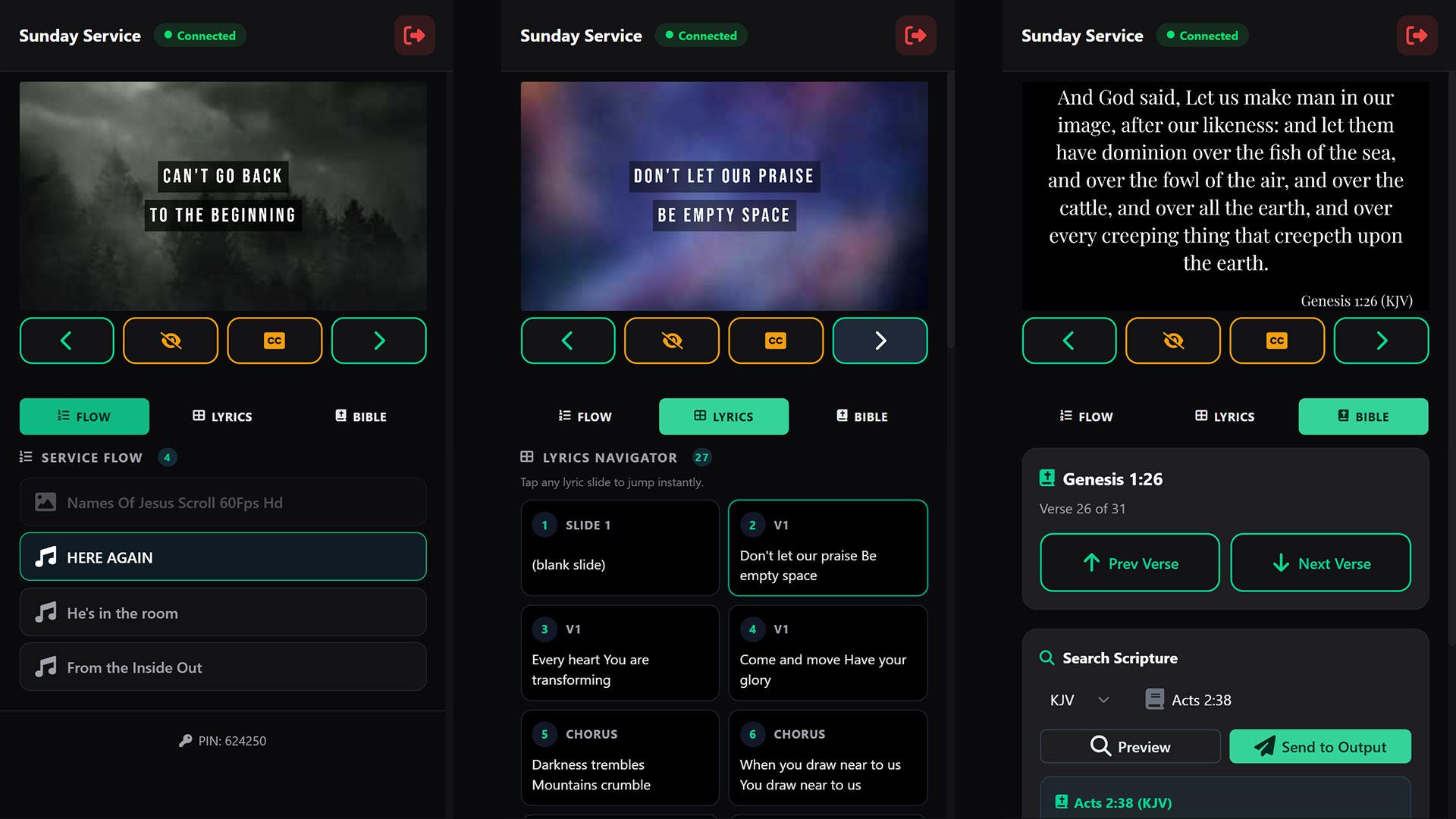
Responsive Remote Control

Control the presentation from a phone or tablet over Wi-Fi. Tap any lyrics card to jump to that slide, search Bible verses by reference or by content, preview before sending, and navigate the full service flow. Two-column layout on tablets, single-column on phones.

Dynamic Aspect Ratio

Switch between 16:9 and 4:3 to match any projector. The change applies everywhere at once: operator preview, remote control, and all connected displays.

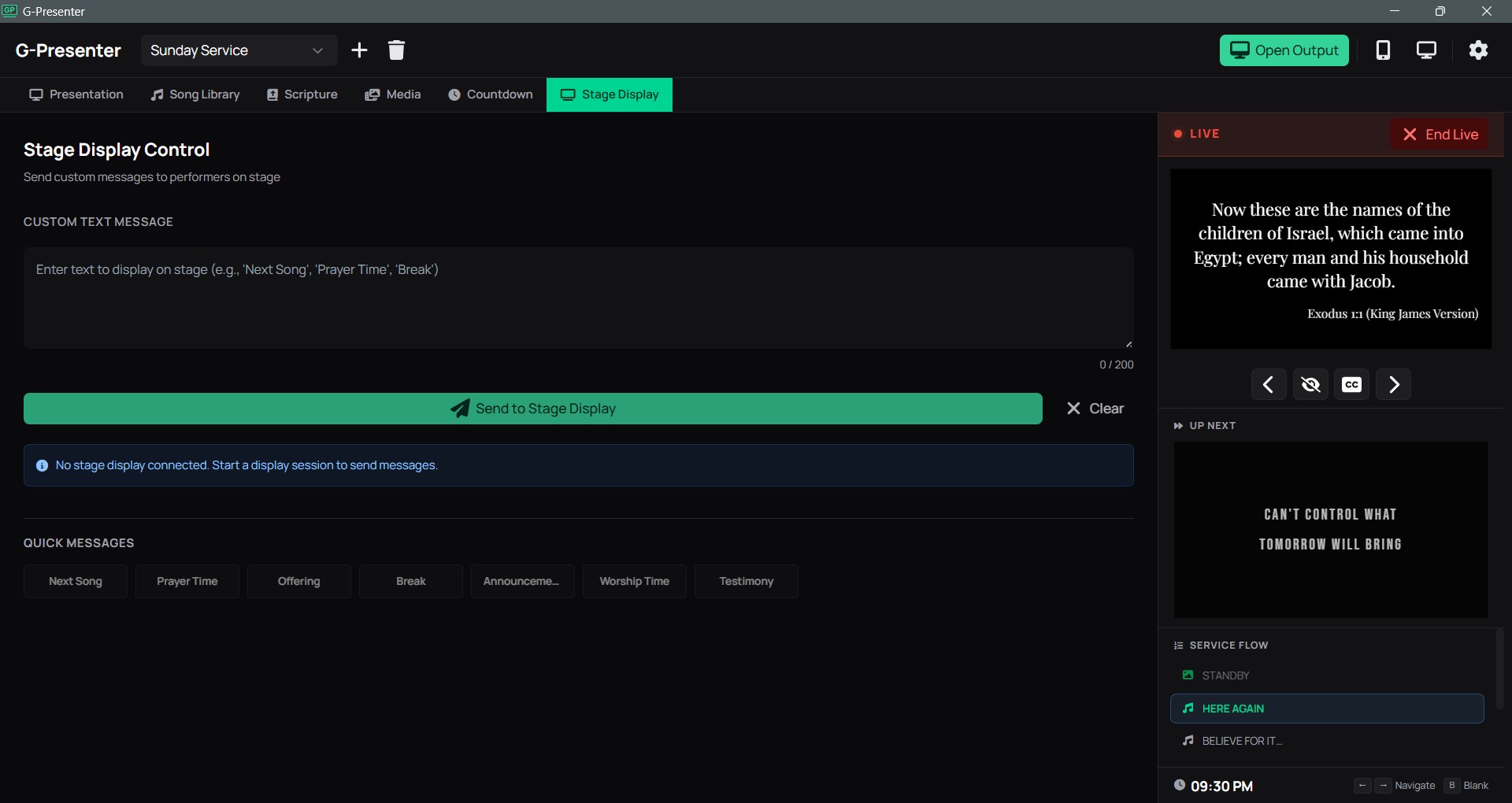
Stage Display

A dedicated view for performers on stage. Shows current lyrics with a next slide preview, custom messages from the operator (like "Next Song" or "Prayer Time"), and a live countdown. Works on phones, tablets, and monitors.

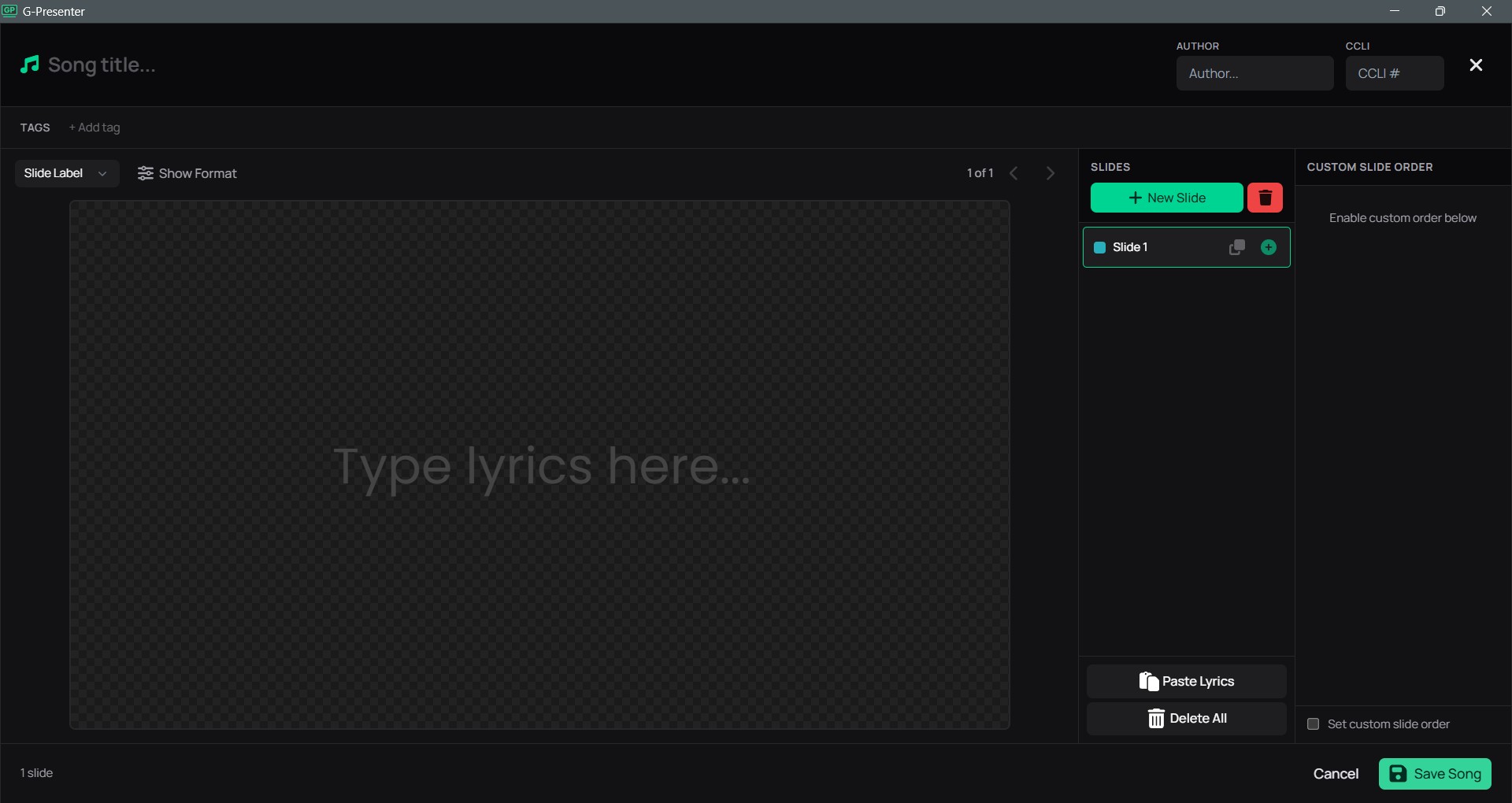
Song Editor

What you see is what they see

Edit your song slides on a full-size preview that matches the projector output exactly. The text automatically adjusts to fit, so what you design is what the congregation sees.

  • Press Alt+Enter to split lyrics into multiple slides. The text above stays on the current slide, and the rest moves to a new one right after it.
  • Paste lyrics from websites or Google Docs and the editor automatically cleans up the formatting, keeping only the plain text you need.
  • Customize each slide individually. Change the font, text size, spacing, and add colored text backgrounds with adjustable transparency.
  • Select any slide and press Delete to remove it instantly. No extra menus or confirmation dialogs to slow you down.
  • When you split a slide, labels update automatically. "Verse 1" becomes "Verse 1b", "Verse 1c", and so on, so your sections stay organized.
Song editor preview
Scripture Browser

Three translations built in. Import any language.

Browse the Bible by book and chapter, pick the verses you need, and display them on screen in seconds. Switch between translations mid-service without losing your place.

  • KJV, ASV, and Tagalog translations are already included. No downloading or internet connection needed.
  • Pro users can import additional Bible translations in any language, including Cebuano, Arabic, Spanish, and more. Hundreds of free translations are available in the open Zefania XML format.
  • When you switch translations, the app stays on the same book, chapter, and verses. No need to navigate back to where you were.
  • Search for verses by reference or by content (e.g., type "faith is the substance" to find Hebrews 11:1) and send them to the projector directly from a connected phone or tablet. No need to touch the main computer.
  • Verse references are shown smaller than the main text so they look clean and readable on any screen size.
Scripture browser preview
Multi-Device Sync

Control from anywhere on the network

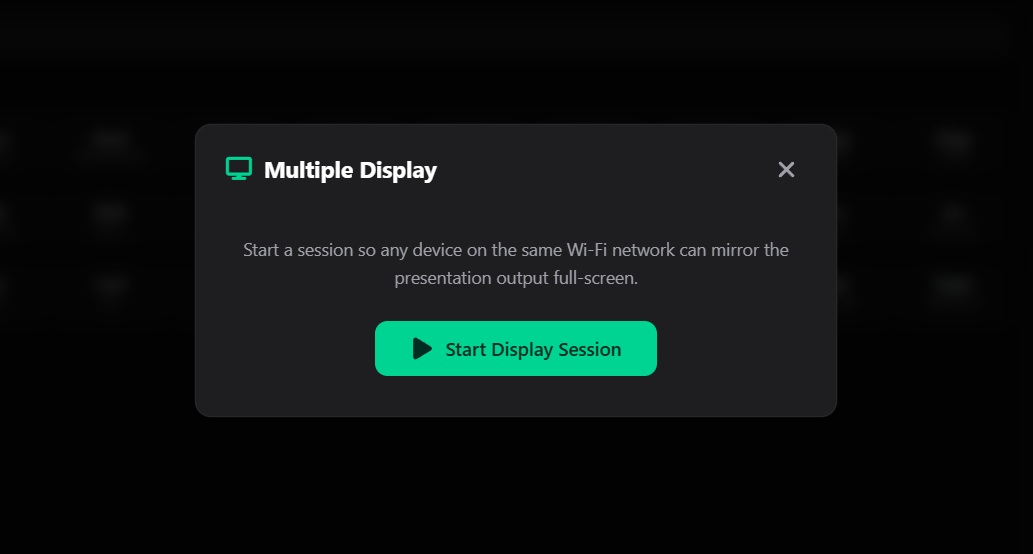
Show the same output on additional screens around the venue over Wi-Fi, and control the whole service from your phone. No extra hardware or special setup needed.

Up to 2 remote controls and 3 extra displays can connect at the same time. Background videos on extra displays show as thumbnails only for fast loading.

  • Slide changes appear on every connected screen almost instantly with no noticeable delay between the main display and the rest.
  • Scan a QR code on any device to open the remote control browser page instantly. No app install needed.
  • Remote control shows a live slide preview with forward, back, blank, and lyrics toggle. Tap any lyrics card to jump directly to that slide.
  • The countdown timer can be shown on the main projector, on extra screens, or everywhere at once. You choose.
  • Search for Bible verses directly on the remote device, preview the text, then send to the projector with one tap. No need to walk back to the computer.
  • Switch any connected display to Stage Display mode for performers. It shows lyrics, custom messages from the operator, and a countdown in a 3-panel layout.
Multi-device sync preview
Interface

Designed for the operator

Every screen is designed to be fast and easy to use when it matters most. Switch slides, find songs, and pull up verses without missing a beat during a live service.

Presentation Control Panel
Presentation control panel screenshot
Song Library
Song library and editor screenshot
Countdown
Countdown screenshot
Mobile Remote Control
Mobile remote control screenshot
Media Library
Media library screenshot
Stage Display
Stage display control screenshot
3
Bible translations built in, import more with Pro
16:9 / 4:3
Projector aspect ratios supported
11
Languages supported out of the box
Windows
Native desktop installer available
Why G-Presenter

Built different, on purpose

Most worship software was designed for large churches with dedicated IT teams and annual budgets for software licenses.
G-Presenter was built for the rest of us.

Your data stays with you

Songs, Bibles, media, and settings are all stored on your own computer. Nothing is uploaded to the cloud. Your content is always available, always private, and always under your control.

Pay once, own it forever

No monthly fees. No yearly renewals. No "your subscription expired" surprises on a Sunday morning. You buy a license once and it works for the lifetime of that computer. Free updates for all v1.x releases included. And the free version has no watermarks or branding on your slides, ever.

Remote control from any phone

With Pro, open a browser on any phone or tablet connected to the same Wi-Fi and you have a full remote control. No app to install, no account to create, no pairing process. Scan the QR code and you are in.

Multi-display without extra hardware

Pro users can connect up to 3 extra screens and 2 remote controls over the local network. No video splitters, no HDMI extenders, no special cables. If the device has a browser and Wi-Fi, it can show your slides.

Bibles in any language, built in

Three translations come pre-installed with no download needed. Pro users can import hundreds of free Zefania XML translations in any language. Try doing that offline with most other tools.

Simple enough for volunteers

In most small churches, the person running the slides is a volunteer who does this once a week. G-Presenter keeps the interface clean and straightforward so anyone can pick it up without training.

Our Story

Built for our church, shared with yours

G-Presenter started because our small local church needed a presentation tool and we could not afford the ones available. The paid options were either too expensive for a church our size or required a monthly subscription we could not sustain. There are free alternatives out there, and some of them are genuinely capable, but the ones we tried were either difficult for our volunteers to learn quickly or had interfaces that slowed us down during a live service. We needed something that a first-time operator could pick up on a Sunday morning without a tutorial.

So I built one. I am a software developer who serves in our church media team, and I developed G-Presenter to solve the specific problems we kept running into: needing to pull up a Bible verse on the spot during a spontaneous altar call, wanting to control slides from the sound booth without walking back to the computer, and syncing the output to multiple screens around the venue without buying extra hardware. The interface had to be simple enough that any volunteer could sit down and run the entire service without training.

This is not a corporate product built by a team that has never run a Sunday service. It is a tool made by someone who sits where you sit, behind the laptop during worship, trying to make sure the right lyrics show up at the right time.

When you support G-Presenter by purchasing a Pro license, you are doing two things. First, you are helping me keep improving the software, fixing bugs, and adding the features that churches like ours actually need. Second, you are directly supporting our local church media team, because this project funds the equipment and resources we use every week.

If your church is in the same situation ours was, I hope G-Presenter helps. And if the free version is all you need, that is completely fine too. Use it as long as you want. No guilt and no nag screens.

Rommel Cuneta
Developer, G-Presenter

Pricing

Simple, honest pricing

Use G-Presenter for free, forever. Upgrade to Pro for advanced features that help your worship team do more.

Free
0 PHP
Free forever, no account needed
  • Song Library & Editor
  • Presentation Builder
  • 3 Built-in Bible Translations (KJV, ASV, Tagalog)
  • Media Library & Backgrounds
  • Countdown Timer
  • Import & Export
  • Output on secondary screen
  • Import Additional Bible Translations
  • Remote Control
  • Multi-Display Sync & Stage Display
Download Free
Launch Sale
Pro License
PHP 799 999
One-time payment · Lifetime license per device
Launch price - goes up to PHP 999 after first month
International: $19.99 USD $24.99 via PayPal
  • Everything in Free
  • Import Bible translations in any language
  • Remote Control via phone or tablet
  • Multi-Display Sync & Stage Display over LAN
  • Free updates for all v1.x releases
  • 15-day free trial included
  • No subscription, no internet required
Download & Try Free

Download once, try Pro features free for 15 days. To upgrade, find your Hardware ID in Settings > License.

Philippines: GCash, Maya, or PayPal (PHP 799). International: PayPal ($19.99 USD, launch price).

Get a Pro License

Fill out the form with your Hardware ID. License key usually delivered within 1-2 business days.
Please be patient and wait for a reply before sending your payment. May God bless you!

Download

Get started today

Download G-Presenter and try all Pro features free for 15 days.
No account or subscription required.

Join the discussion group: facebook.com/groups/gpresenter. Everyone is welcome.

-- downloads